
Prepping Photos for Carving Using Adobe Photoshop 6.0
Thursday, February 28th, 2002 at 4pm Eastern Standard time on crafts.dm.net IRC channel, room #craftclass. If you have questions on how to attend class, please see the instruction page at dm.
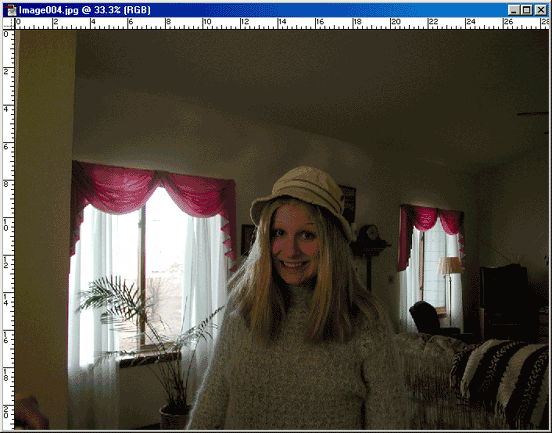
Original Picture - not good at all, but still useable, believe it or not. Better pictures are even easier to prep for carving. The best result (especially for portraits) result from images that have a clearly defined light source off to the side so there are definite shadows and highlights. Now, I am unable to tell you exactly how to prep every photo, but I can demonstrate some of the tools that I find most helpful in prepping photos. Your best bet is to play with whatever photo editing software you have. I have some photos that have taken me many hours and several tries to be satisfied enough to carve it. So, play!

Use the crop tool to remove excess picture around your subject of interest.
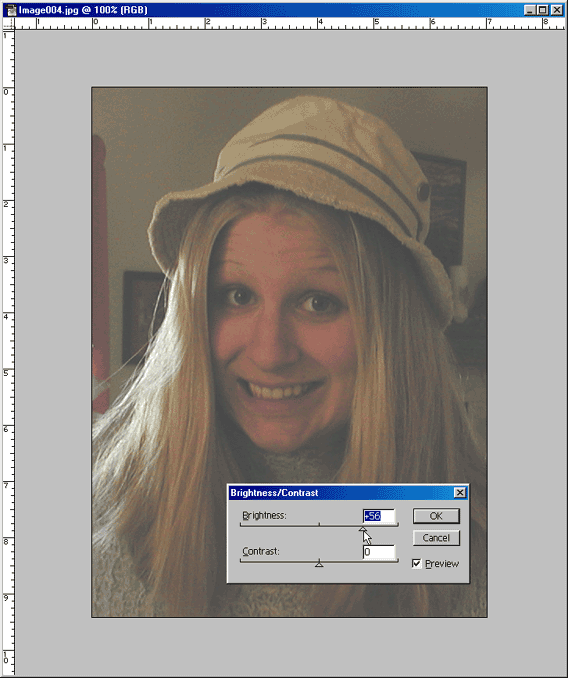
Adjust the brightness - each picture will have it's own optimum settings.
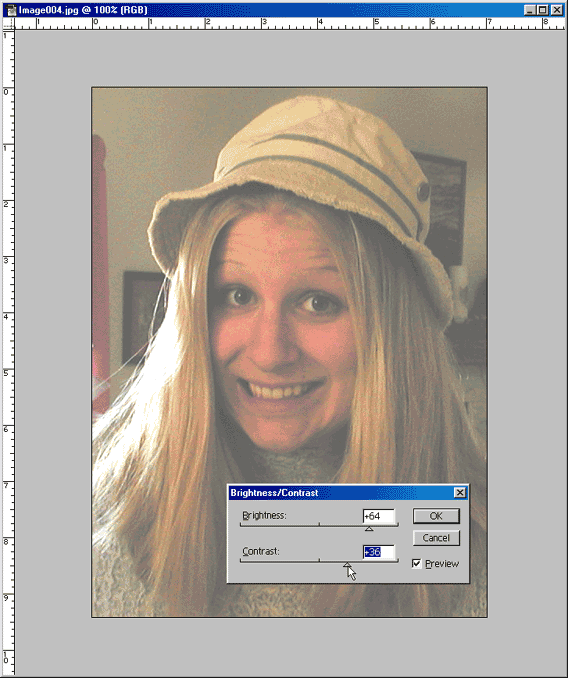
Adjust Contrast - again each picture will have it's own optimum setting. You don't need to be too careful about this one since we'll go back and turn the contrast all the way up towards the end of the process.