

Follow free turorials on colored pencils, soft-block or eraser carving and color theory.
Return to the Designedly, Kristi home page.

Prepping Photos for Carving Using Adobe Photoshop 6.0

 

This is the Photoshop toolbar with the lasoo tool chosen.

Use the lasso tool to roughly remove the background all the way around the subject. It's best to err towards keeping some background in there than removing part of the subject.
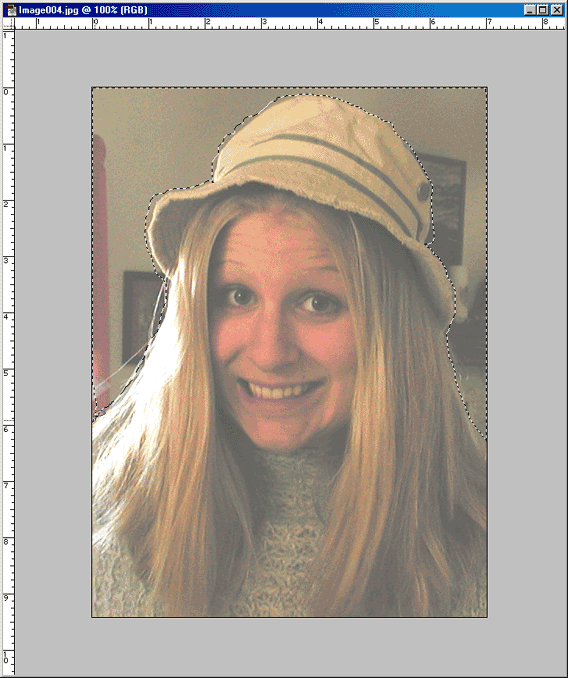
This is a screen shot of a portion of the photo selected with the lasoo tool.

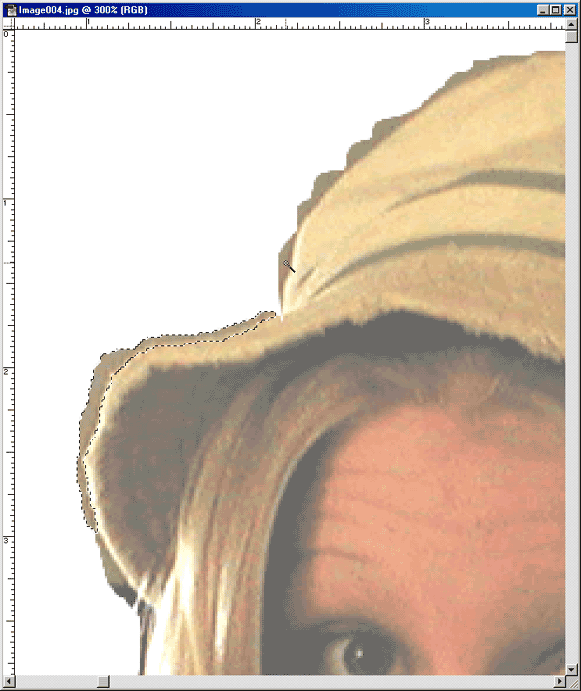
This is a screen shot of a zoomed in view of the edges of the lasso selection and it is being cleaned up with the magix wand tool.

Now, using the magic wand, go back and remove more of the excess bumps and such left behind by the lasso tool.
<Go Back :: Continue >

Carving 101
Prepping Photos for Carving
Color Theory 101
Great handmade journals and blank books for sale now!
 

Home | Sale | New | Classes | Contact | Freebies | About | Tutorials | Gallery | Links | Site Map

Search Query

All contents of this site © Designedly, Kristi
PO Box 2163, Fort Collins, CO 80522-2163
This page was last modified on 04.07.2005