
Prepping Photos for Carving Using Adobe Photoshop 6.0
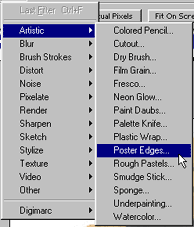
Use Filters > Artistic > Poster Edges to bring out the lines and edges in the picture.
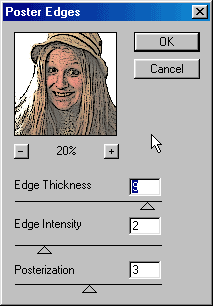
Adjust all three parameters until you get the result you desire. Again, each picture will be different.
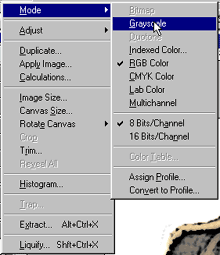
Now, use Image > Mode > Grayscale to turn the image into a grayscale image.